




The cad design center stands at the forefront of innovation, transforming how professionals in architecture, engineering, and product development bring ideas to life. As technology rapidly advances, digital design tools are becoming essential for creating, testing, and refining projects with speed and precision.
By mastering the resources and workflows within a cad design center, you can unlock new levels of creativity, streamline processes, and gain a valuable competitive advantage. This guide will show you how to harness the full potential of CAD Design Centers as gateways to innovation.
We will explore the fundamentals of cad design center operations, the latest technologies shaping the field, a step-by-step usage guide, real-world industry applications, future trends, and expert advice for maximizing value.
Understanding CAD Design Centers: Foundations and Functions
Computer-aided design has redefined how we create, analyze, and communicate ideas in architecture, engineering, and product development. At the heart of this progression lies the cad design center, a hub where technology, creativity, and collaboration converge to drive innovation. To fully leverage these centers, it is essential to understand their foundations, functions, and the value they offer to a range of industries.

What is a CAD Design Center?
A cad design center is a specialized facility dedicated to supporting digital design and modeling tasks. These centers have evolved from traditional manual drafting rooms into sophisticated digital environments equipped with high-performance hardware, advanced software suites, and collaborative workspaces.
Key components of a cad design center include:
- Dedicated workstations with powerful processors and graphics cards
- Professional CAD software for 2D and 3D modeling
- Collaborative areas for team-based projects
- Secure storage and rapid network access
The role of a cad design center extends across education, industry, and research. Leading universities and design firms now integrate these centers into their workflows to foster innovation and hands-on learning. For instance, interior designers benefit from specialized CAD resources for interior designers to streamline their projects.
According to Grand View Research, the global CAD market is projected to reach $14.96 billion by 2026. This growth highlights the expanding influence of cad design centers across multiple sectors.
Core Services and Capabilities
A cad design center offers a robust suite of services designed to streamline the design process and enhance productivity. The core capabilities include:
- 2D and 3D modeling for conceptualization and detailed development
- Simulation tools to test mechanics, ergonomics, and performance
- Prototyping support, including integration with 3D printers
- Rendering and visualization for photorealistic presentations
- Virtual walkthroughs to explore and validate designs
- Collaboration platforms for multidisciplinary teams
- Access to vast libraries of design assets, templates, and industry-standard file formats
These features allow teams within a cad design center to work efficiently, iterate rapidly, and maintain high standards of quality. The integration of advanced collaboration tools ensures that even complex, cross-functional projects can be managed with clarity and precision.
Who Uses CAD Design Centers?
The cad design center serves a diverse group of users, each with unique needs and objectives. Key user groups include:
- Architects and engineers developing building and infrastructure projects
- Product designers and manufacturers focused on rapid prototyping and market readiness
- Students and educators in STEM and design disciplines seeking hands-on experience
- Startups and large enterprises aiming to accelerate their innovation cycles
A notable example is the automotive industry, where a cad design center enables iterative design, simulation, and validation of components before physical production. This approach minimizes costly errors and supports continuous improvement throughout the product lifecycle.
Value Proposition and Benefits
The cad design center delivers significant value through speed, creativity, and cost efficiency. Organizations leveraging these centers report:
- Accelerated project timelines due to streamlined workflows
- Reduced errors via digital validation and simulation
- Enhanced creativity by enabling rapid iteration and feedback
- Cost savings by reducing reliance on physical prototypes
For example, companies implementing advanced CAD workflows have achieved up to a 25% reduction in product development time. This improvement not only shortens time-to-market but also enhances competitiveness in fast-paced industries.
Ultimately, a cad design center empowers teams to transform ideas into reality with greater accuracy, flexibility, and innovation.
The Latest Technologies Powering CAD Design Centers in 2026
Technological innovation is rapidly transforming every cad design center. In 2026, these centers are defined by powerful software, advanced hardware, and seamless collaboration tools. Let’s explore the technologies shaping the future of design and how they boost efficiency, creativity, and sustainability.

Cutting-Edge CAD Software and Platforms
The foundation of every cad design center is its software ecosystem. Leading platforms like AutoCAD, SolidWorks, Rhino, and Fusion 360 continue to dominate, but the landscape is evolving. In 2026, cloud-based solutions allow designers to access powerful tools remotely, fostering flexibility.
Artificial intelligence is now central to the design process. Generative design, automated error checking, and smart suggestions are standard features. Integration with Building Information Modeling (BIM) supports more intelligent workflows for construction and architecture. For a detailed look at upcoming AI features, including product support chatbots and generative rendering, see AI Features in CAD Programs.
Autodesk’s latest AutoCAD 2026 release showcases AI-driven automation, reducing repetitive work and streamlining complex projects. This convergence of software and intelligence is redefining what’s possible in a cad design center.
Advanced Hardware and Visualization
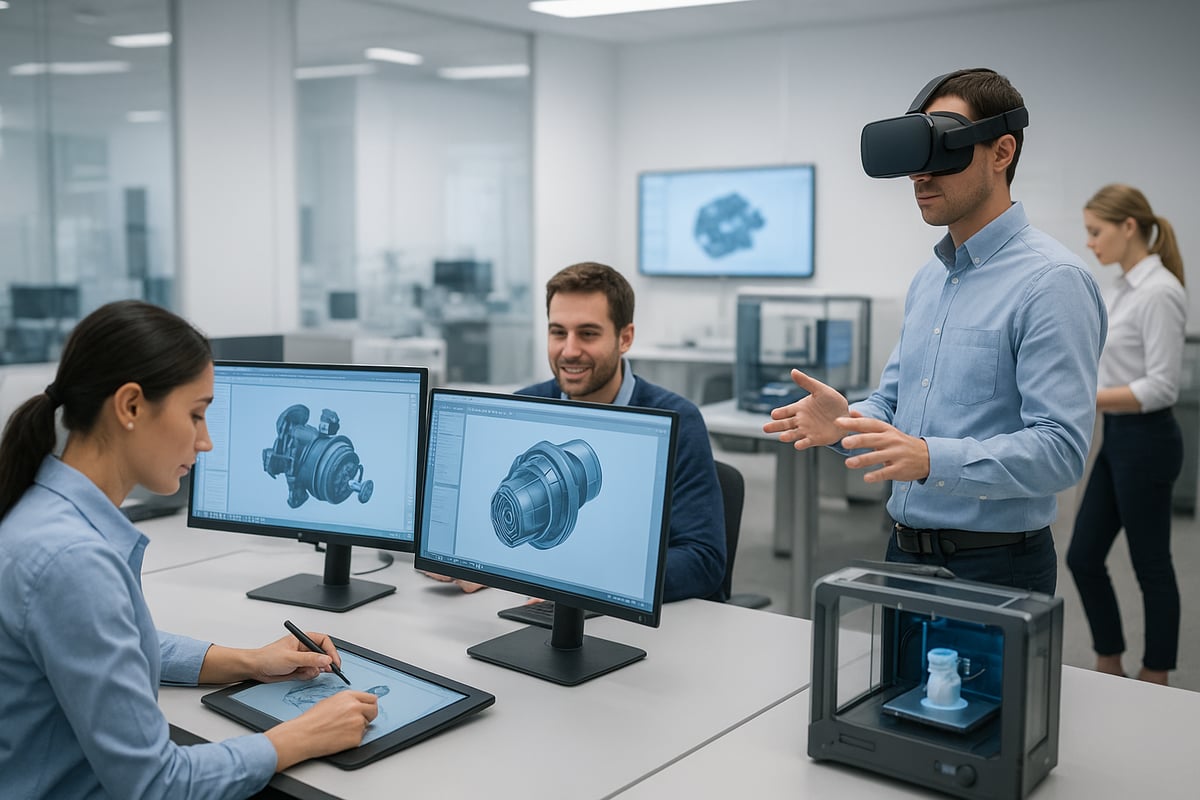
A cad design center thrives on high-performance hardware. Modern workstations come equipped with cutting-edge GPUs that deliver real-time rendering and photorealistic visualization. Designers use immersive VR and AR headsets to conduct virtual walkthroughs and design reviews, making collaboration more engaging.
3D scanning and printing capabilities are now standard, enabling rapid prototyping directly from digital models. According to MarketsandMarkets, 60 percent of cad design centers now offer VR and AR tools for immersive project validation. This hardware evolution empowers teams to visualize, test, and refine ideas at unprecedented speed and accuracy.
Cloud Collaboration and Remote Access
Collaboration is at the heart of innovation in any cad design center. In 2026, cloud-based project management platforms enable real-time file sharing, multi-user editing, and instant feedback. Teams from different continents can work on the same project simultaneously, streamlining communication and decision-making.
Security protocols have also advanced, ensuring sensitive intellectual property is protected in the cloud. Examples include encrypted data storage, user authentication, and robust permission controls. These features guarantee that a cad design center remains both agile and secure as teams embrace remote and hybrid work models.
Automation and Customization
Automation is transforming how teams interact with their cad design center. Automated workflows now handle repetitive tasks, freeing up designers to focus on creativity. Custom scripts and plugins, often written in Python, allow users to tailor their CAD environment to unique project needs.
For example, Rhino’s scripting capabilities empower designers to develop bespoke tools, optimizing everything from parametric modeling to data management. This level of customization ensures that each cad design center can adapt to rapidly changing project requirements and industry trends.
Sustainability and Eco-Friendly Design
Sustainability is a growing priority for every cad design center. Advanced tools for lifecycle analysis and energy modeling are now integrated into leading platforms. These features help teams evaluate the environmental impact of materials and design choices early in the process.
Design centers also benefit from access to sustainable materials databases, supporting greener decision-making. Deloitte’s 2025 survey found that 40 percent of design centers prioritize sustainability features in their workflows. By leveraging these technologies, a cad design center not only improves efficiency but also supports a more sustainable future.
Step-by-Step: How to Make the Most of a CAD Design Center
Unlocking the full potential of a cad design center requires a structured approach. By following a clear step-by-step process, teams can streamline projects, foster collaboration, and accelerate innovation. Below, explore the essential steps for making the most of your cad design center and achieving outstanding results.
Step 1: Assess Your Project Needs and Goals
Begin by defining your project’s scope, objectives, and deliverables. A cad design center supports a wide variety of industries, so it is crucial to pinpoint your unique requirements from the outset.
Identify which CAD software and hardware are essential for your work. For example, mechanical engineers may choose SolidWorks for complex assemblies, while architects might prefer Revit for BIM integration.
A clear understanding of your needs ensures that you leverage the cad design center’s resources efficiently. This foundational step also sets the stage for seamless workflow and effective collaboration throughout your project.
Step 2: Select the Right CAD Design Center
Choosing the optimal cad design center involves evaluating several key criteria:
- Location and accessibility
- Facilities and available technologies
- Supported CAD software and hardware
- Level of technical support and training
- Flexibility of access and scheduling
Compare in-house facilities with third-party providers. Use a checklist to review each cad design center’s capabilities and ensure alignment with your project goals. The right selection maximizes productivity and value for your team.
Step 3: Prepare Your Team and Resources
Once a cad design center is chosen, assess your team’s skills and identify any training gaps. Effective onboarding is essential to unlock the full power of advanced design tools.
Organize workshops or training sessions to elevate proficiency in required software. Encourage team members to explore the cad design center’s knowledge resources and support channels.
A well-prepared team can leverage the center’s features effectively, leading to smoother workflows and fewer project delays.
Step 4: Set Up and Manage Your Project Workspace
Establish an organized digital environment within the cad design center. Create structured project folders, utilize templates, and set up robust version control systems.
Configure hardware and software settings to enhance performance and workflow efficiency. Implement security protocols to protect intellectual property and sensitive data.
A well-managed workspace minimizes confusion, reduces errors, and ensures every team member can access the latest project files.
Step 5: Leverage Collaboration and Support Services
Take full advantage of the cad design center’s collaboration tools. Schedule regular design reviews and feedback sessions, utilizing immersive technologies like VR walkthroughs for enhanced clarity.
Engage with help desks, technical support, and knowledge bases to resolve issues quickly. Collaborative features are especially valuable for multidisciplinary teams, enabling real-time input and faster decision-making.
Effective use of these services fosters innovation and ensures your project stays on track.
Step 6: Iterate, Test, and Refine Designs
Rapid prototyping and iterative testing are hallmarks of a modern cad design center. Use simulation tools to validate designs before physical production, reducing costly errors.
For example, when developing furniture concepts, teams can create and refine 3D models, then export them for prototyping. The 3D CAD lounge chair design offers a practical illustration of how digital assets can be used for efficient prototyping within a cad design center workflow.
By integrating feedback and continuously refining your models, you can achieve optimal results and innovation.
Step 7: Finalize, Export, and Present Your Work
Conclude your project by exporting files in the necessary formats and preparing polished presentations. A cad design center provides visualization tools that help communicate ideas to stakeholders effectively.
Use interactive 3D models or virtual walkthroughs to showcase your work and gain buy-in from clients or decision-makers. Following best practices at this stage ensures a smooth transition from design to implementation.
Industry Applications: How CAD Design Centers Drive Innovation
CAD design center environments are transforming the way professionals innovate and deliver results across a variety of industries. As digital tools become more advanced, organizations increasingly rely on the cad design center to streamline workflows, improve collaboration, and accelerate project timelines. Let's explore how these centers are driving change in key sectors.

Architecture and Construction
The cad design center is a game changer for architecture and construction firms. These centers support the entire building lifecycle, from conceptual design to detailed documentation and BIM integration. With access to advanced modeling and visualization tools, architects can quickly iterate and refine building concepts.
Many firms leverage virtual walkthroughs and real-time collaboration features to engage clients and stakeholders early in the process. For example, using a cad design center, firms can design smart, energy-efficient buildings that meet strict sustainability standards. According to Statista 2025, 70% of AEC firms now use CAD centers for integrated workflows, reducing errors and ensuring design consistency.
Product Design and Manufacturing
In product design and manufacturing, a cad design center accelerates the journey from concept to market. Designers and engineers take advantage of 3D modeling, simulation, and digital prototyping to streamline product development. This approach enables rapid testing and iteration, minimizing costly physical prototypes.
Consumer electronics companies, for instance, use cad design center resources to create digital twins and run performance simulations before final production. The ability to share models and updates in real time ensures that teams stay aligned and respond swiftly to market demands. This digital transformation results in faster time-to-market and improved product quality.
Automotive and Aerospace
Automotive and aerospace industries have embraced the cad design center as a hub for advanced simulation and collaborative engineering. Teams use high-fidelity models to test aerodynamics, safety features, and manufacturing processes virtually. This reduces the need for expensive physical prototypes and shortens development cycles.
Aerospace firms, for example, employ virtual reality within the cad design center to validate cockpit layouts and improve ergonomics. Global teams collaborate on complex assemblies, sharing data securely and making real-time changes. The cad design center fosters innovation by enabling cross-disciplinary teams to solve challenges efficiently.
Interior Design and Furniture
Interior designers and furniture makers rely on the cad design center to visualize spaces, customize furniture, and experiment with materials. These centers provide access to vast libraries of assets, such as ready-to-use 3D models. For example, designers can download detailed assets like the Harrald lounge chair 3D CAD file, allowing rapid prototyping and customization for client presentations.
Visualization tools help designers create immersive presentations, making it easier to secure client approval. The cad design center also supports trend analysis and material selection, ensuring that finished spaces are both functional and aesthetically pleasing.
Education and Research
The cad design center is vital in education and research, equipping students and academics with hands-on experience in digital design. Top engineering schools now feature dedicated CAD centers where students learn industry-standard tools and participate in competitions. These centers foster creativity, teamwork, and technical proficiency.
Research teams use the cad design center to explore innovative solutions, from sustainable energy systems to advanced manufacturing techniques. According to the QS World University Rankings, over 80% of top engineering schools have established CAD centers, supporting the next generation of innovators.
Choosing the Right CAD Design Center for Your Needs
Selecting the ideal cad design center is crucial for ensuring your project’s success and maximizing return on investment. With so many options available, understanding what to look for can help you align your needs with the right resources.
Key Criteria for Selection
When evaluating a cad design center, start by considering software compatibility with your industry and specific project requirements. Ensure the center offers advanced hardware, such as high-performance workstations and GPUs, to support complex modeling and rendering tasks.
Accessibility is another important factor. Look for flexible hours, remote access options, and convenient locations. Pricing models also matter. Some centers offer subscriptions, while others provide pay-per-use plans. Scalability is crucial for growing teams or varying project sizes.
| Model | Subscription | Pay-per-Use |
|---|---|---|
| Cost Structure | Fixed/month | Per project |
| Best For | Ongoing work | Occasional |
| Flexibility | High | Moderate |
Choosing a cad design center that aligns with these criteria can streamline workflows and reduce costs.
Evaluating Support and Training
A top-tier cad design center should offer robust technical support and continuous learning opportunities. Access to workshops, certifications, and training resources helps your team stay updated on the latest technologies.
Look for centers with active user communities and readily available help desks. Specialized training, such as onboarding for new CAD software or advanced simulation tools, can make a significant difference in productivity.
Selecting a cad design center with a strong support system ensures your team can overcome challenges quickly and maintain project momentum.
Craft’n Build: Empowering Interior Designers and Makers
For interior designers and makers, Craft’n Build: Empowering Interior Designers and Makers provides a specialized cad design center experience. The platform offers ready-to-use 3D models and templates, streamlining project execution from concept to delivery.
Craft’n Build also features online courses for upskilling in design and CAD tools, making it ideal for both seasoned professionals and newcomers. Business solutions are available for end-to-end project support, addressing the needs of designers, makers, and small businesses.
By choosing a cad design center like Craft’n Build, users gain access to tailored resources that accelerate creative workflows and enhance project outcomes.
Real-World Case Studies
Many organizations report significant productivity gains after switching to the right cad design center. For example, companies leveraging specialized centers often see a 20 to 30 percent increase in output, thanks to streamlined collaboration and advanced support services.
Successful projects across architecture, product design, and manufacturing highlight how strategic cad design center selection leads to faster delivery and higher quality results.
Real-world experiences underscore the value of choosing a center that fits your unique needs and supports your vision for innovation.
Future Trends: The Evolution of CAD Design Centers by 2026 and Beyond
The future of the cad design center is accelerating, with emerging technologies rapidly shaping how professionals work, collaborate, and innovate. As we approach 2026, several transformative trends are driving the evolution of these centers, making them more intelligent, accessible, and sustainable than ever before.
AI, Automation, and Smart Design
Artificial intelligence is redefining the cad design center landscape. AI-powered tools drive smarter workflows, from generative design to automated error detection and predictive analytics. These advancements reduce manual effort, enhance accuracy, and accelerate innovation. For deeper insight into how AI is revolutionizing design processes, see AI in CAD and BIM Technologies. AI-driven space planning in architecture is already delivering measurable results.
Extended Reality (XR) Integration
The adoption of AR, VR, and MR is transforming the cad design center experience. Designers can immerse themselves in photorealistic walkthroughs, improving collaboration and client engagement. According to IDC, XR adoption in CAD centers is projected to grow by 35 percent annually. This shift enables teams to visualize and test concepts in ways that were previously impossible, streamlining the review process.
Sustainability and Digital Twins
Sustainable design is now a core priority for every cad design center. Lifecycle analysis tools and energy modeling are standard features, helping teams make eco-conscious choices at every stage. Digital twins are also gaining traction, enabling real-time monitoring and predictive maintenance of built environments. These innovations are essential for organizations committed to green building and responsible product development.
Democratization of CAD Access
Cloud-based, subscription, and freemium models have lowered barriers, allowing more people to benefit from cad design center resources. Students, startups, and global teams can now access advanced software and hardware without major upfront investments. Free CAD tools for educational institutions are increasing, ensuring a broader talent pool and fostering innovation worldwide.
The Rise of Collaborative Innovation Hubs
Cad design center environments are evolving into collaborative innovation hubs. These spaces serve as incubators for startups and design collectives, often partnering with universities, industry leaders, and government agencies. City-sponsored innovation labs are accelerating urban development projects, fostering a culture of shared creativity and rapid prototyping.
As you’ve seen throughout this guide, embracing CAD design centers is key to unlocking new levels of creativity and efficiency in your projects—whether you’re designing furniture, crafting interiors, or building your business’s capabilities for 2026 and beyond. If you’re ready to put these insights into action and want a practical way to start creating professional furniture designs, you don’t have to reinvent the wheel. Explore ready-made 3D CAD resources and discover how you can save time, elevate your work, and bring your ideas to life with confidence. Learn how to create furniture designs with premade 3D cad

Share:
9 Brilliant White Living Room Decor Ideas for a Fresh 2026 Look